
1. Sign up
- Visit the Authenticity Leads homepage.
- Click “Sign Up” or “Start 30 Day Free Trial”
- Alternatively, you can book a demo at the bottom of the page if you’d like to see Authenticity Leads in action or discuss pricing for an enterprise plan.
2. Choose Your Account Type
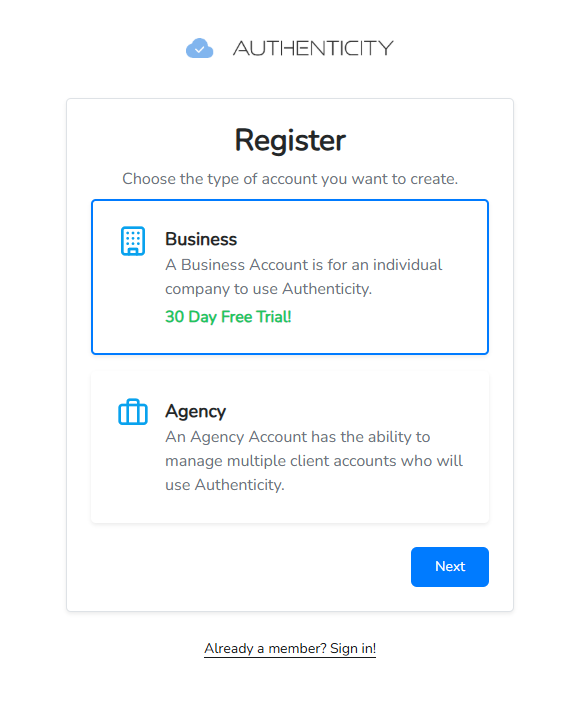
Authenticity has two different primary account types, Business accounts, and Agency accounts. Each account type has features tailored specifically to marketing agencies or individual businesses who manage their websites in-house.
- Agency: Allows you to manage multiple Clients as sub-accounts. Offers additional functionality only available to Enterprise customers of our business accounts.
- Business: Standalone account with features and pricing based on your specific industry needs. Enterprise business plans offer advanced customization, additional features (including API access), and custom pricing.
3. Add Account Information
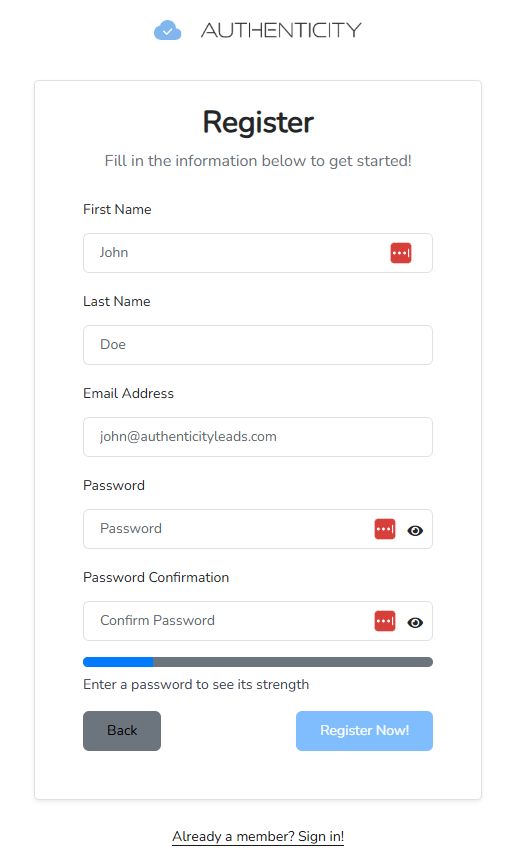
Provide basic information to quickly setup your account, including your name, email address, and desired password.
4. Verify Your Email Address
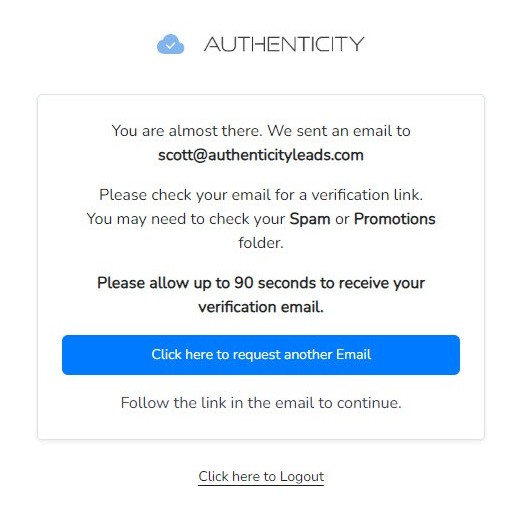
To ensure that our emails will be delivered to your inbox, we ask that you open your email and click the link found inside to verify your email address.
5. Accept Terms of Use
Please read our terms of use and familiarize yourself with our policies. Accepting our terms is required to use our services.

6. Add Business Information
We request basic information about your business, including it’s name, website address, and what industry your business operates in.

7. Add Estimated Monthly Lead Total
To help our team understand your business needs, we ask that businesses tell us approximately how many leads you’re processing each month. This information is helpful for our sales team in the event that you want to upgrade to an enterprise level plan with custom pricing.

8. Select Plan
Plan types are suggested based on the number of leads your business is processing each month. You can always choose whichever plan you’d like. Authenticity offers generous discounts for yearly plans.

9. Add Payment Information
All payments for Authenticity Leads are securely processed via third party payment processor Stripe. For security reasons, we do not store customer payment information. All credit card information is stored and processed via Stripe. Customers are able to manage their account subscription, including adding and removing payment methods, inside our app.

10. Setup Auto-Replenish
To avoid disruption of our services and prevent the possibility that your account runs out of credits, we allow you to enable “auto-replenish” which will automatically bill your credit card an amount set by you, to purchase additional credits. Credits purchased with the auto-replenish feature do not reset at the end of your subscription period and roll-over each month, giving you a credit buffer in the event that your account usage exceeds your plan limits.

11. Setup Two-Factor Authentication
We highly recommend our clients setup Two Factor Authentication (2FA) to keep your account secure and prevent tampering with our script on your website. This is especially important for agencies who manage multiple clients.

You’re all done!
See our guides on adding a website, adding clients, and integrating Authenticity into your forms!
Guide: How to Add a Website
Guide: How to Add a new Client Account
Guide: Script Implementation Guide
